

Voice synthesis transforms written text into natural speech using linguistic analysis and AI models.
Widget Discovery
Let’s begin by exploring the main options available in the widget.
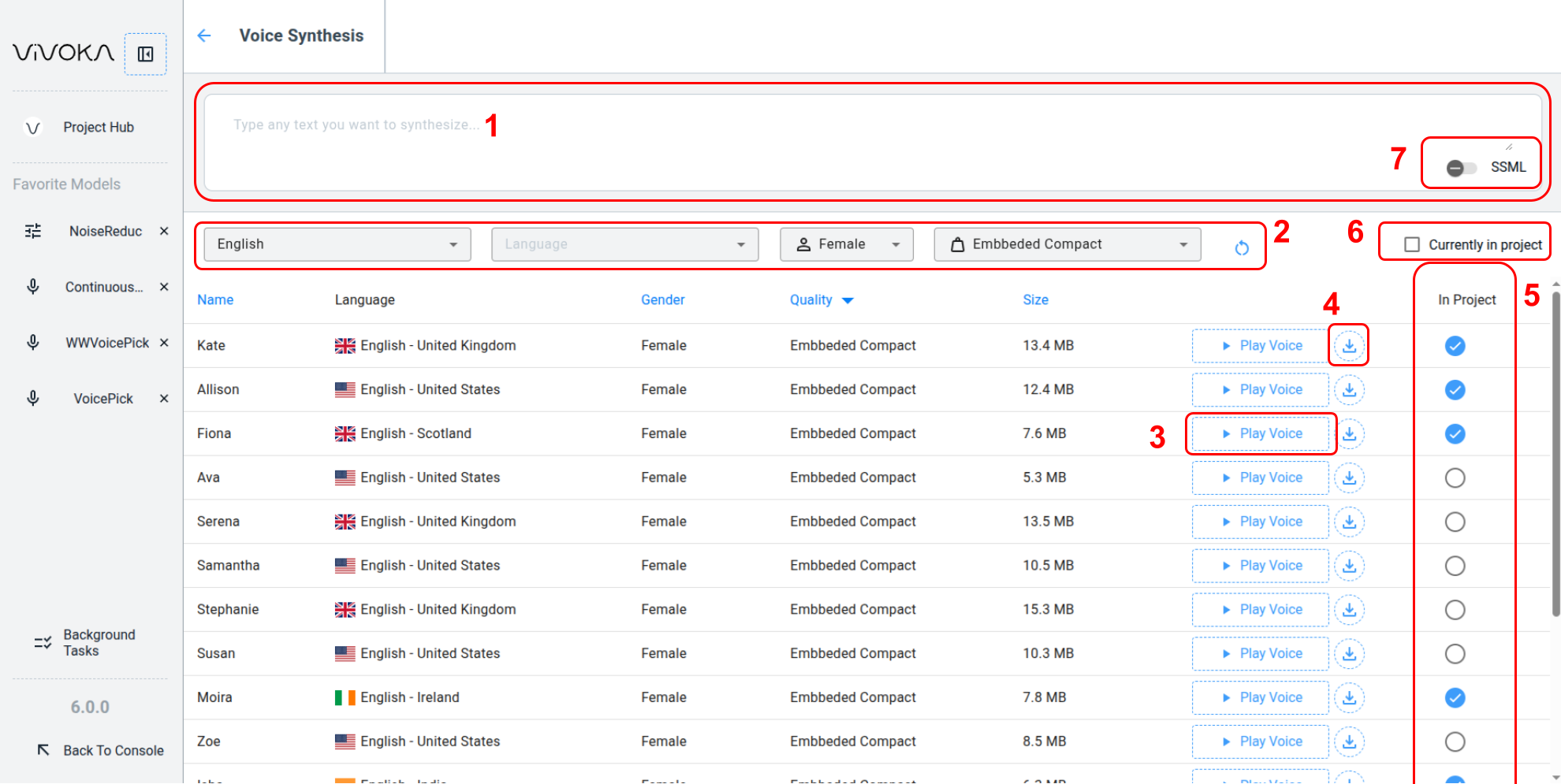
Enter the text to synthesize in the text editor (1) and select the voice that fits your project requirements in the dedicated option bar (2):
-
Language by accent
-
Voice gender
-
Footprint (size category of the voice)
Click Play Voice button (3) to load and play the voice when the service is ready. Once ready, you download the synthesized audio directly in your browser using the Download icon button (4).
To include the voice in your project and have it available upon project download, select the round checkbox on the right (5), and then download your project. Refer to the dedicated documentation for details.
To display only voices in your project that match the current filters, check the Currently in your project checkbox (6).
You can also edit your text using the SSML editor by toggling the dedicated toggle button (7).
How to use the SSML Editor ?
How to use the SSML Editor ?
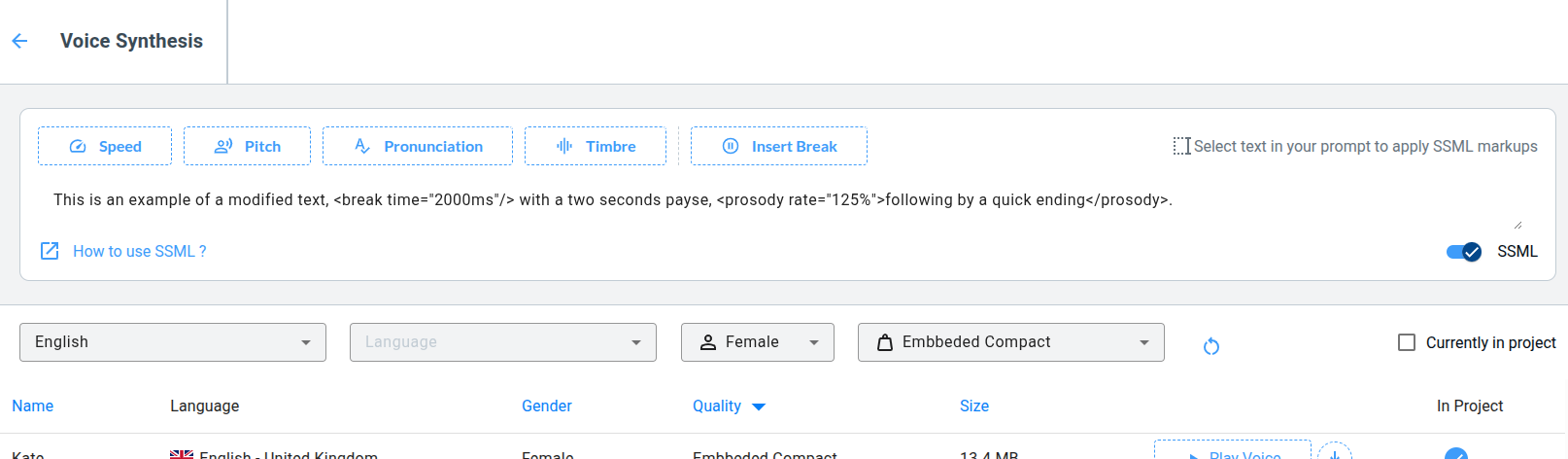
Select your text and apply one of the option by clicking on the dedicated option. You can modify the values of the tag added to your text. See the dedicated documentation about SSML to learn more.