

A Wake Word is a voice-triggered technology that allows devices to listen passively in low-power mode until a specific phrase activates them, ensuring efficient and private hands-free interaction.
Widget Navigation
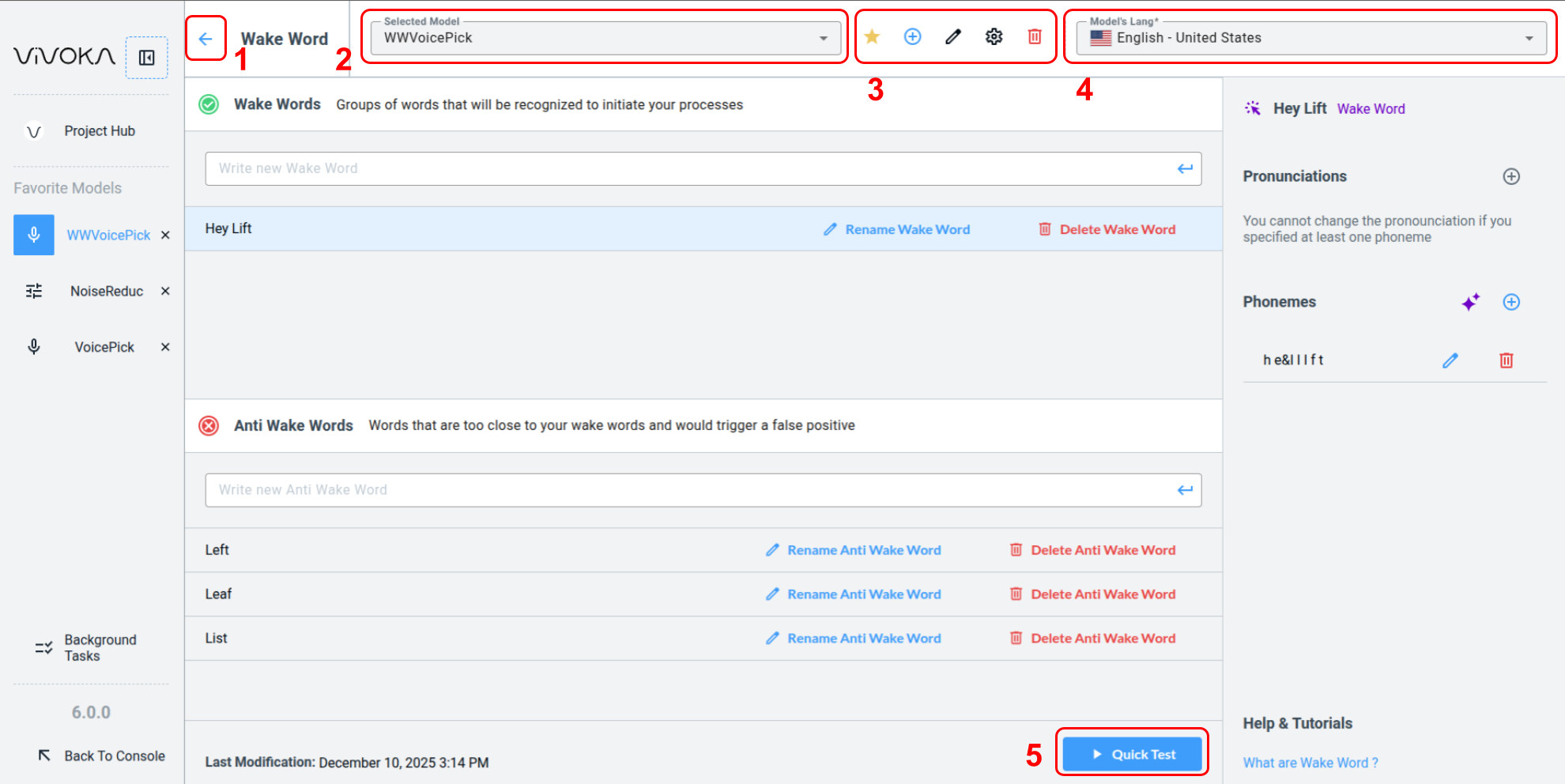
Let’s start by identifying the widget's main options.
-
Navigate back (1) to the Project Hub
-
Change the Selected Model (2) you are editing
-
The widget global editing tools (3):
-
Add this model to Favorites
-
Create a new model
-
Rename the model
-
Configure the recognizer
-
Delete the model
-
-
Change the Model’s Language (4)
-
Quick Test (5) your model in real time by speaking within the widget
How to configure the recognizer ?
How to configure the recognizer ?
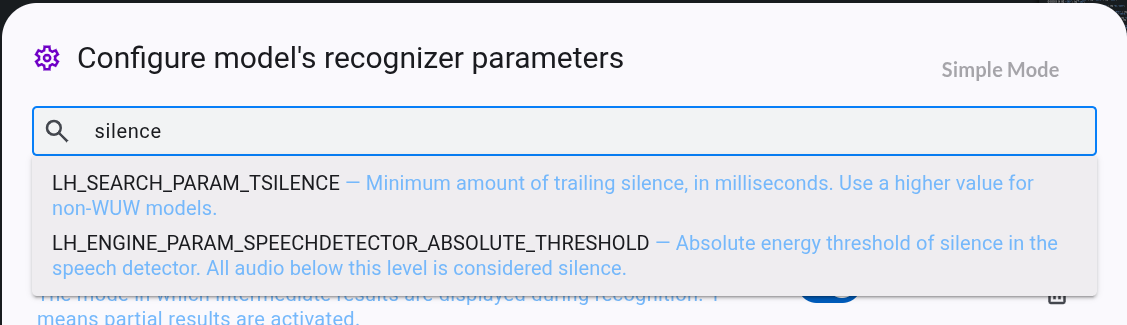
Click the wheel icon to open the Voice Recognition model parameters modal.
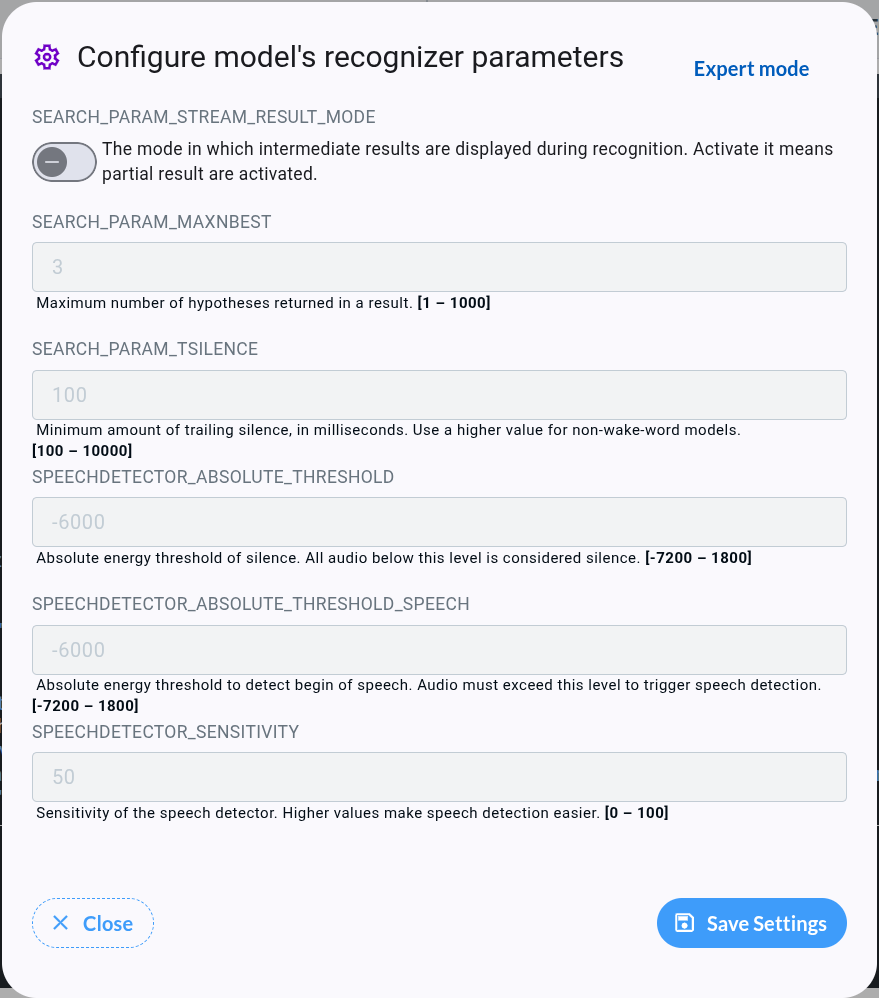
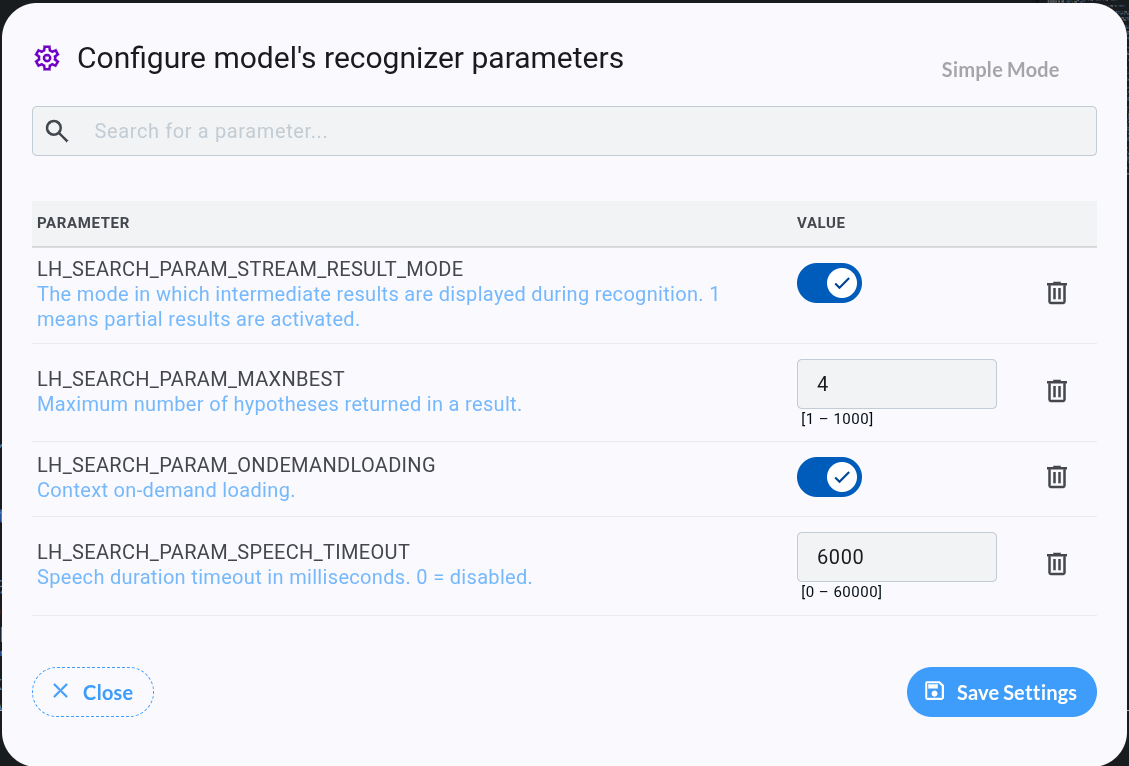
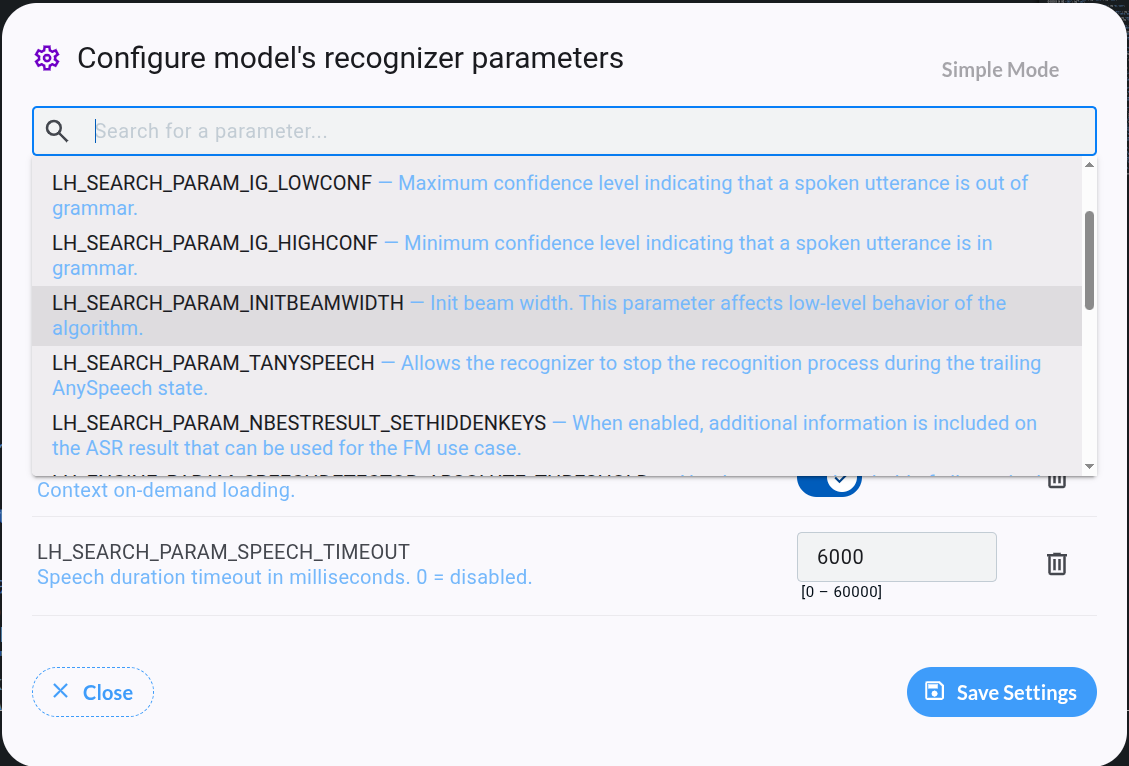
Starting from VDK Studio version 6.3, use the Expert Mode button atop the modal to edit all model parameters. Simple mode provides direct access to frequently used parameters, with descriptions and min-max ranges in bold. Default values are written as placeholders.
Wake Word Editor
-
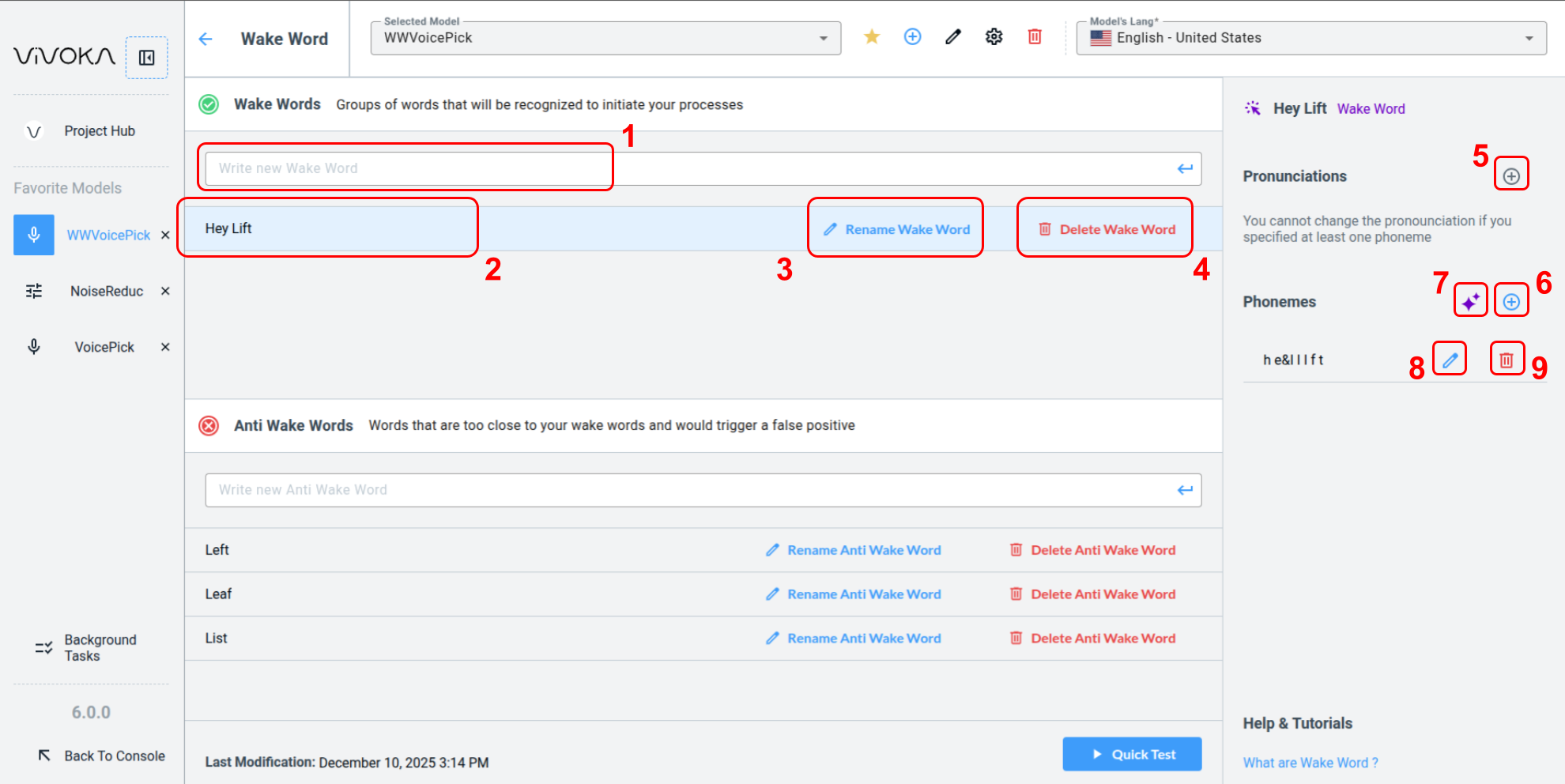
Enter a Wake Word or Anti Wake Word in the dedicated input fields (1), then press Enter to create a selectable Word (2) by clicking on its row.
-
Edit a Wake Word using the Rename Wake Word buttons (3) or remove it with the Delete Wake Word buttons (4).
-
When a Wake Word is selected, you can optionally specify one or more pronunciation overrides using the add pronunciation button (5).
-
Add optional phonemes for a selected Wake Word to resolve recognizer ambiguities or override recognition. Use the add phoneme button (6) or our GenAI tool to generate phonemes based on provided context.
-
Use the dedicated buttons to edit (8) or delete (9) phonemes or pronunciations.
Please note that you cannot use pronounciations and phonemes at the same time.
Testing The Wake Word Model
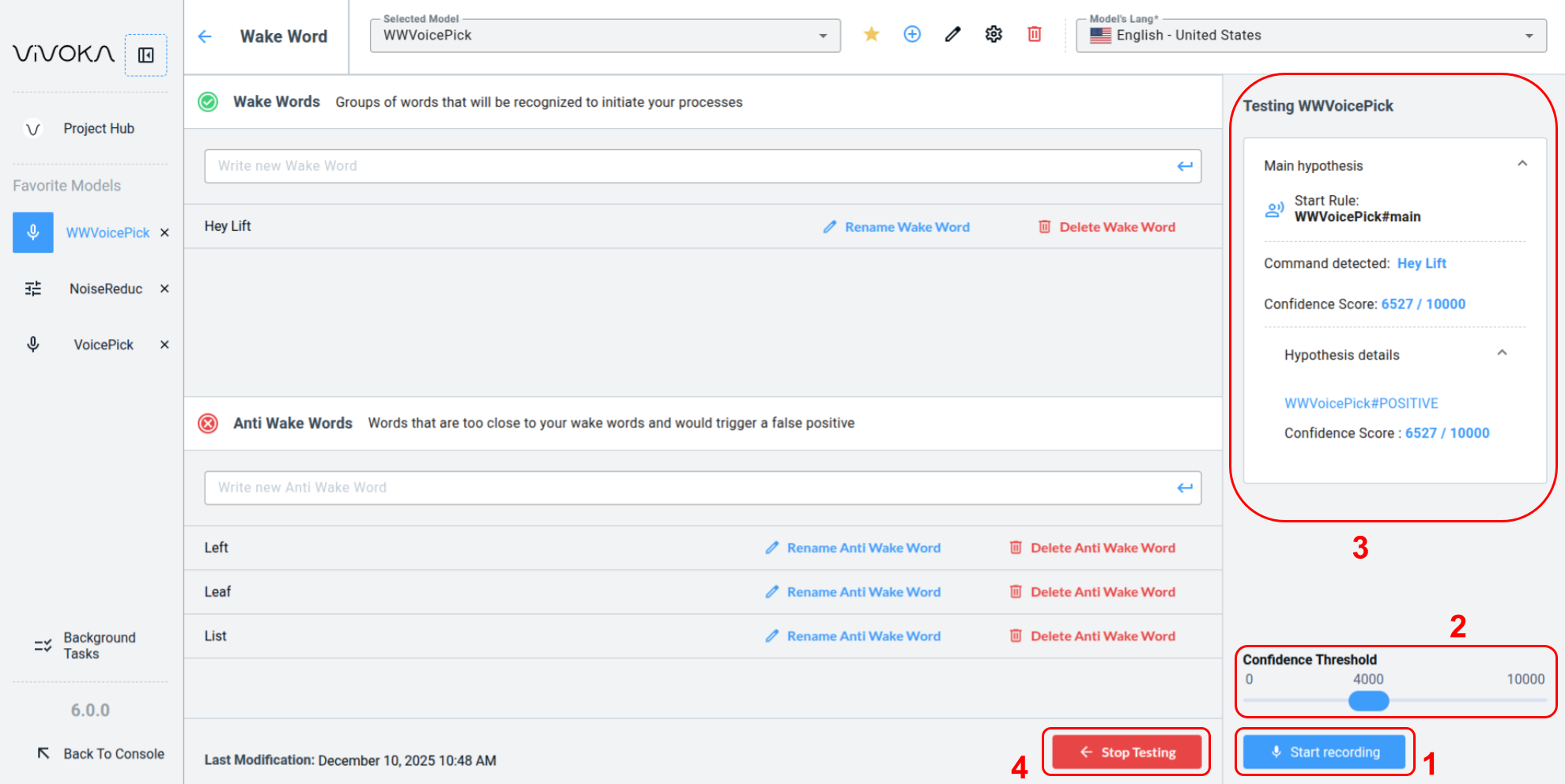
When the test panel is open and ready, click Start recording (1) to run the model for one minute. Adjust the confidence threshold (2) in real time during the test to display only hypotheses that meet the minimum confidence score. Speak the wake word or anti wake word aloud to see the corresponding hypothesis appear (3), depending on your model's recognizer parameters.
How to read hypothesis ?
How to read hypothesis ?
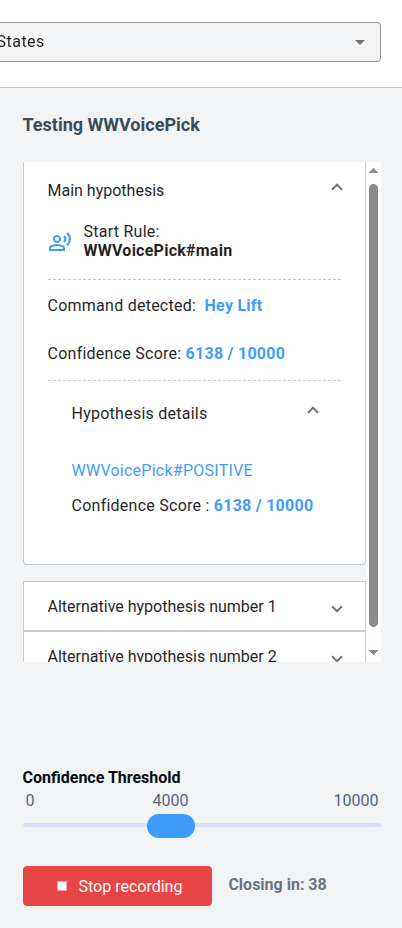
The detected commands are Wake Words, marked with the POSITIVE tag, which is automatically added to each Wake Word. Anti Wake Words bear the NEGATIVE tag. A confidence score of over 6000, exceeding the 4000 threshold, allows the hypothesis to be displayed. Alternative hypotheses contain the same information as the main hypothesis.