

Voice biometrics authenticates individuals by analyzing their unique vocal characteristics. Text-dependent systems require users to speak a specific passphrase for verification, whereas text-independent systems can identify a user from any spoken words, relying on the inherent patterns of their voice.
Widget Navigation
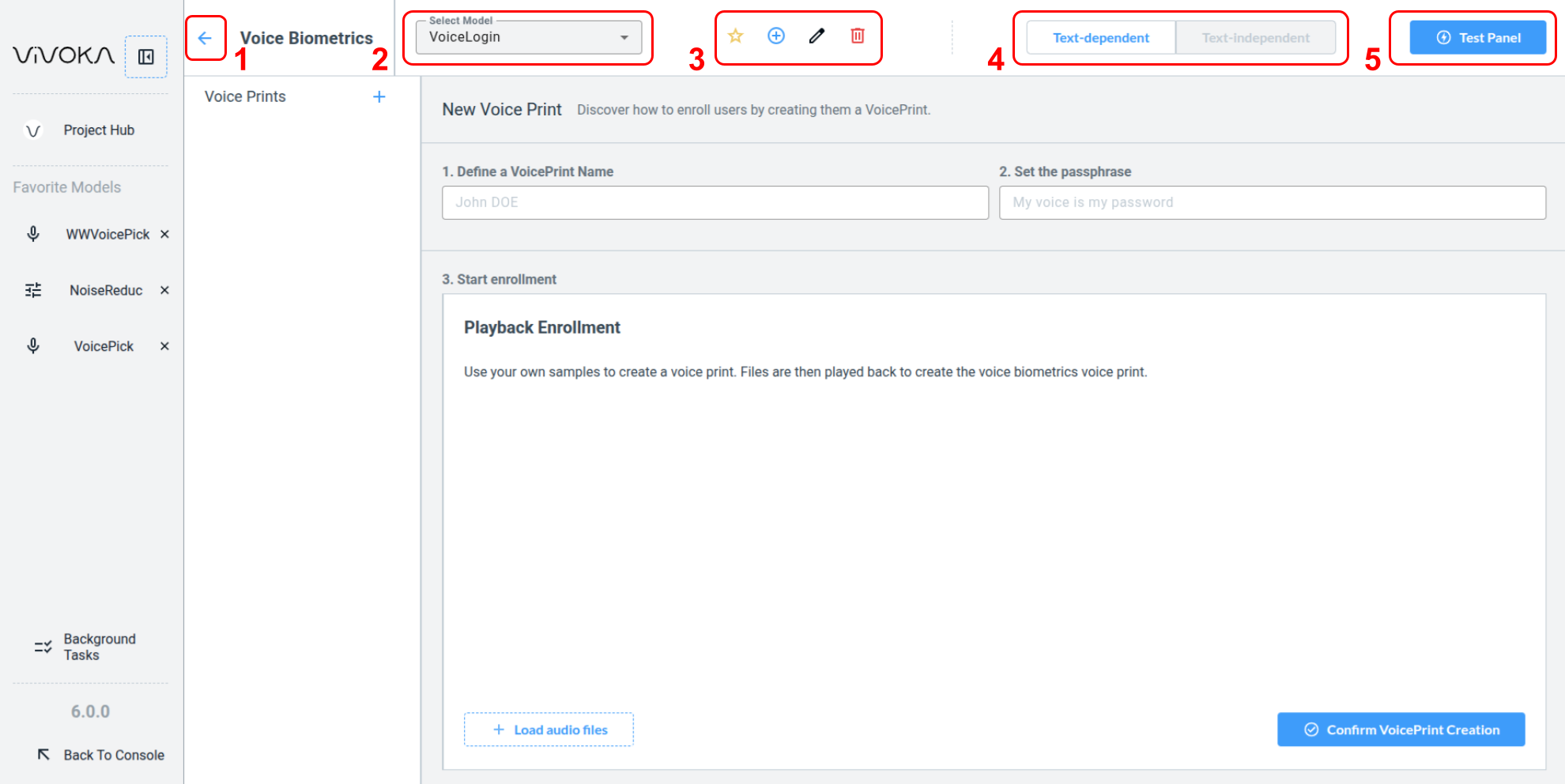
Let’s start by identifying the widget's main options.
-
Navigate back (1) to the Project Hub
-
Change the Selected Model (2) you are editing
-
Widget global editing tools (3):
-
Add this model to Favorites
-
Create a new model
-
Rename the model
-
Delete the model
-
-
Change the Model’s training method (4) to either Text Dependant or Text Independant. Note : the training method can only be set when creating the model.
-
Quick Test (5) : Test your model in real time by speaking directly into the widget.
What is the enrollment process?
The enrollment process in the widget demonstrates how to create a Voice Biometrics Voice Prints. The model uses this Voice Print as a reference for comparison, similar to comparing two Finger Prints to identify a person.
It is crucial to replicate the widget’s enrollment process in your product using Voice Biometrics technologies. Request multiple voice recordings from users to dynamically generate an accurate voice print.
Widget’s enrollment process
-
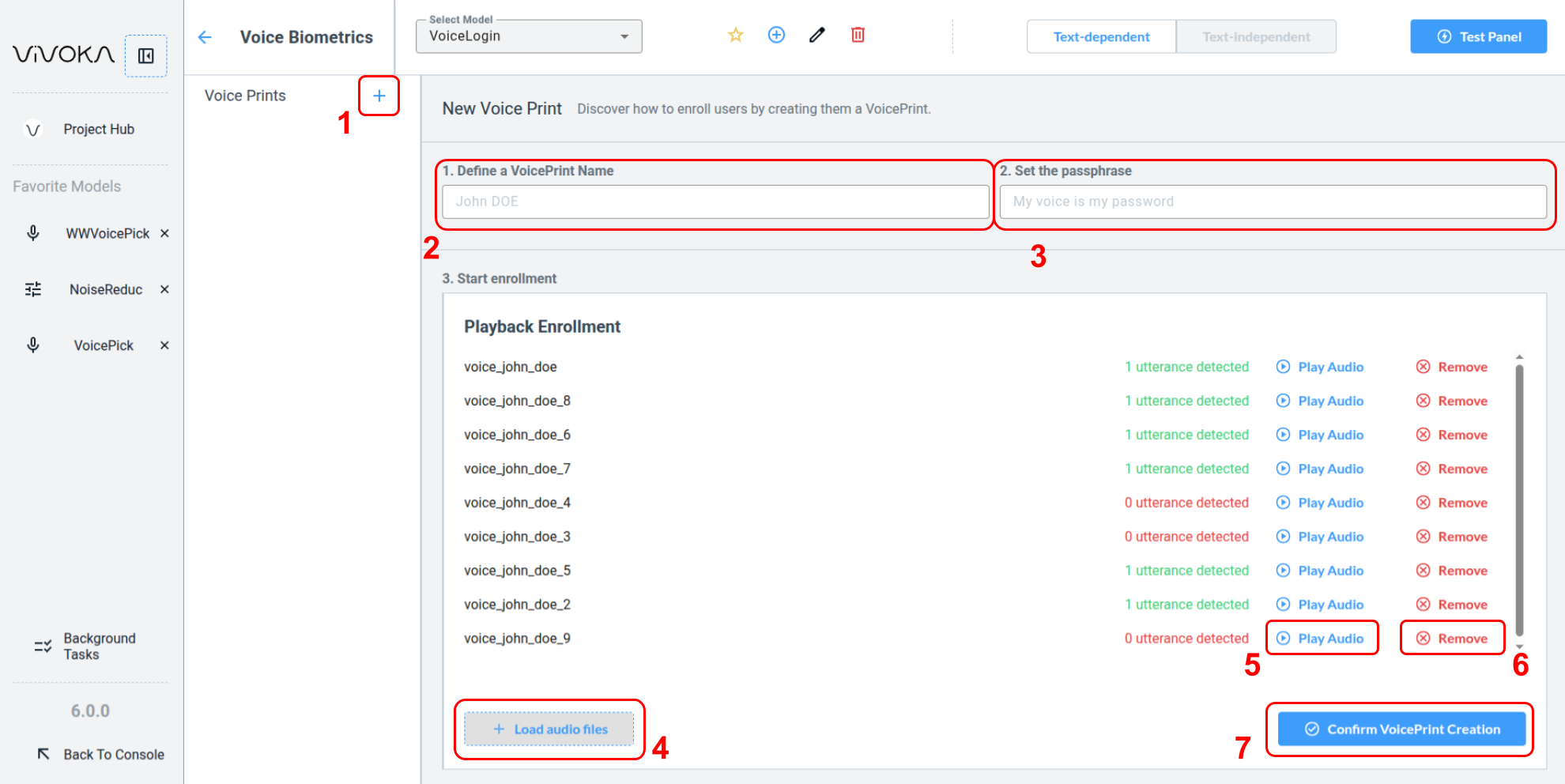
Create a new voice print using the add Voice Print button (1).
-
Complete the identity form by entering a VoicePrint Name (2) and a passphrase (3) for reference only. Do not store the passphrase.
-
Use the Load audio files button (4) to open your Audio Asset Manager in a dedicated modal.
How to load audio files ?
How to load audio files ?
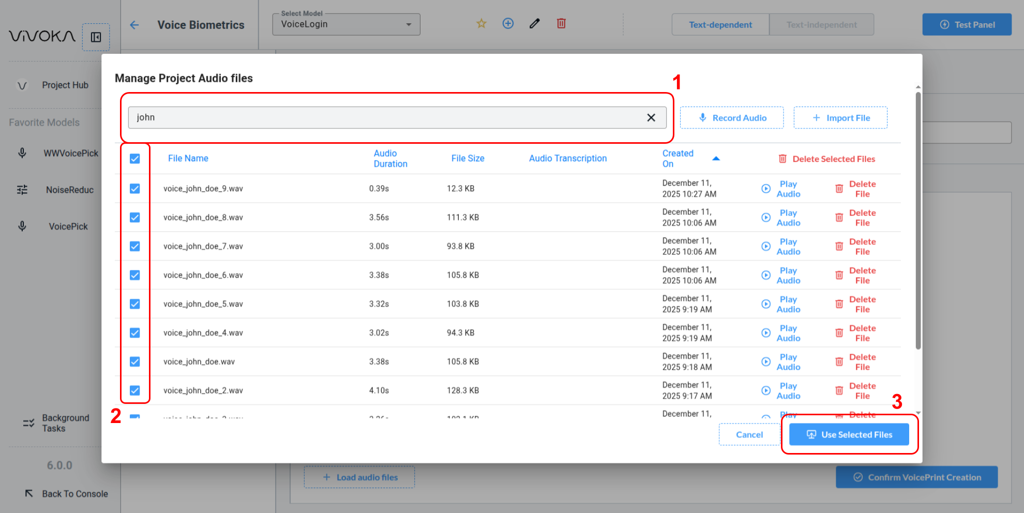
Learn more about the Audio Asset Manager in our dedicated documentation. Search (1) and select all files (2) audio files for the person whose Voice Print you want to create. Inject selected files (3) to see them be loaded in the Widget.
-
The system includes an utterance detector to indicate if the files you add will improve your Voice Print training. Verify that the audio files are clear and loud by playing (5) them. Remove any unwanted file from the training list using the remove (6) button.
-
Once you have provided enough high-quality training audio, click Confirm VoicePrint Creation (7). If insufficient audio data is provided, the training will fail. This has no consequences, simply provide additional audio files and try again.
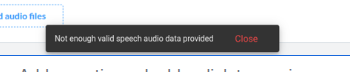
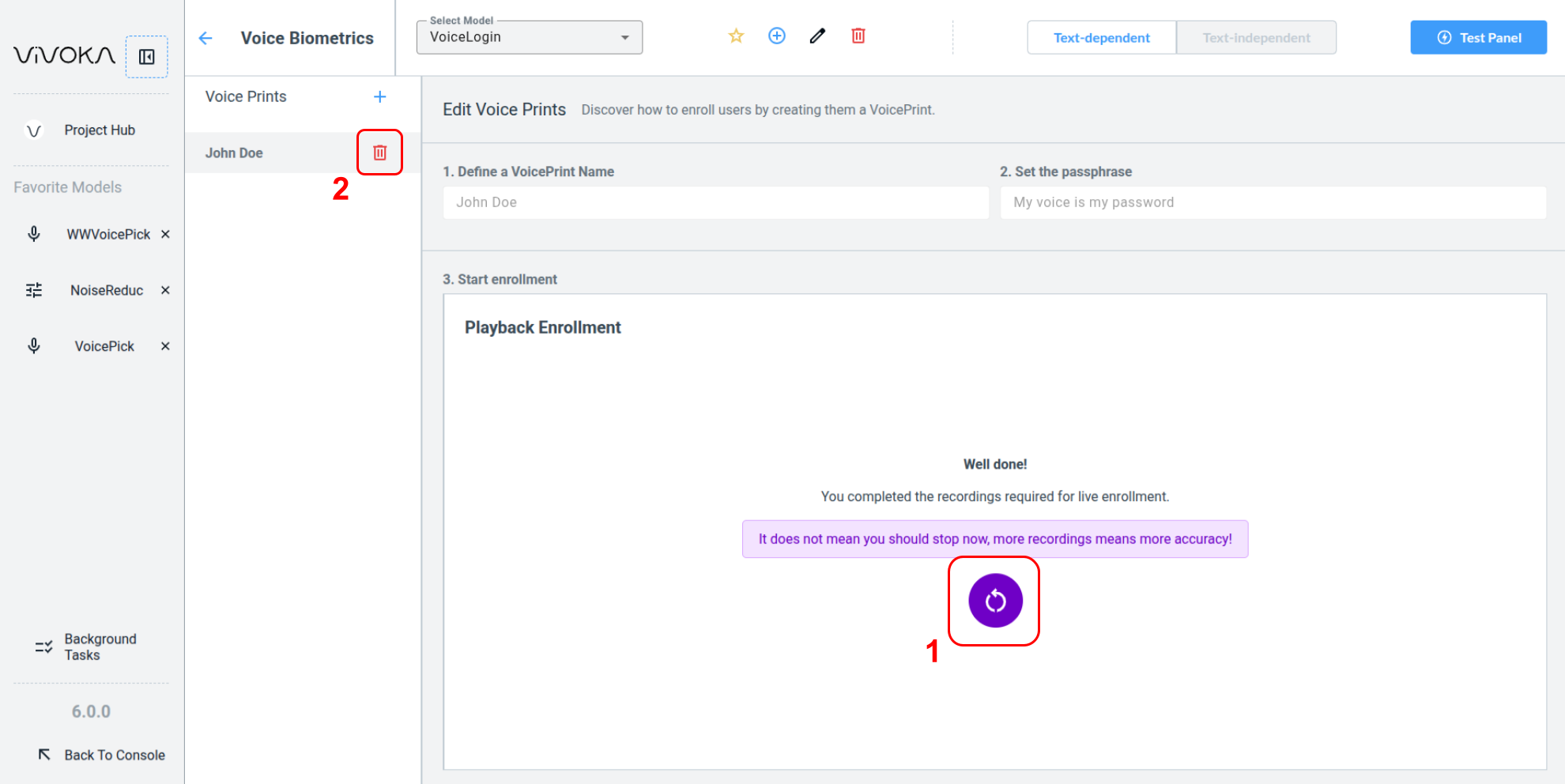
After creating your Voice Print, test it in the Test Panel. Click restart button (1) to continue training the model with new audio files. To delete a Voice Print, use the remove button (2).
Differences between Text Dependent and Text Independent
Text-dependent voice biometrics requires users to speak a specific pre-set phrase during registration and authentication. The system verifies both the voice's unique characteristics and the exact words, providing high security but limited flexibility. This approach is ideal for high-security scenarios such as banking or access control.
The Text Dependent widget's enrollment requires a passphrase and audio files of the spoken passphrase. Multiple recordings train the model and generate a voice print.
Text-independent voice biometrics, analyzes only the voice’s biological and behavioral traits regardless of spoken content. Users speak naturally, which is convenient for everyday use, such as call centers or passive authentication. However, it offers less security due to the absence of phrase verification.
The Text Independent widget’s enrollment requires multiple audio files of different spoken phrases.
Text-dependent systems prioritize security using a fixed phrase, while text-independent systems emphasize convenience and flexibility. TChoose the approach based on whether security or user experience is the main priority.
Test the Voice Biometrics Panel
Text Dependent
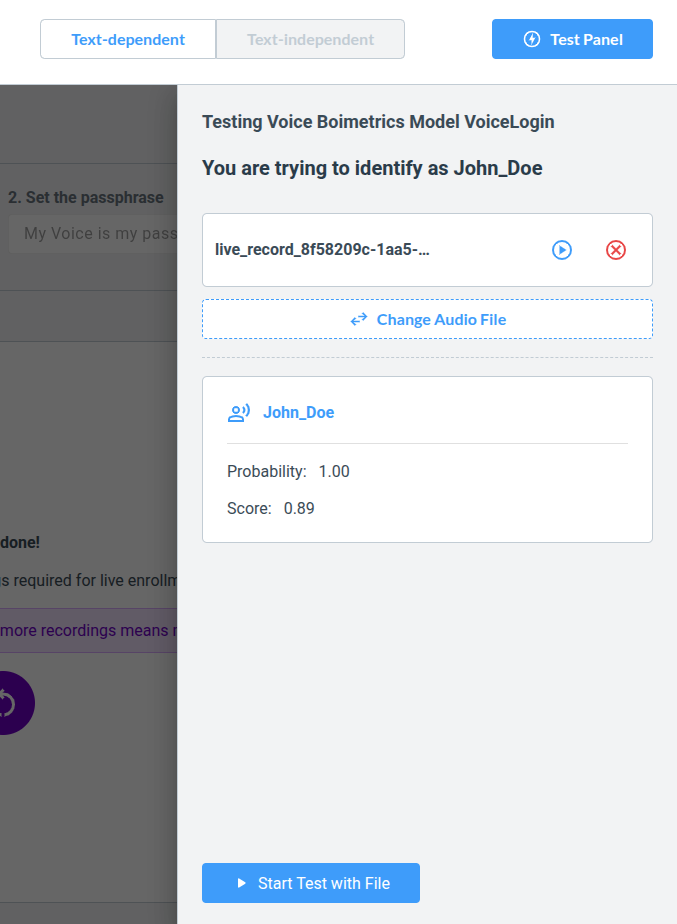
Choose a file from your Audio Asset Library and click Start Test with File. The Voice Biometrics system will provide a probability score indicating how likely the spoken words match the passphrase. This score reflects both the audio quality and the similarity to the training recordings.
Text Independent
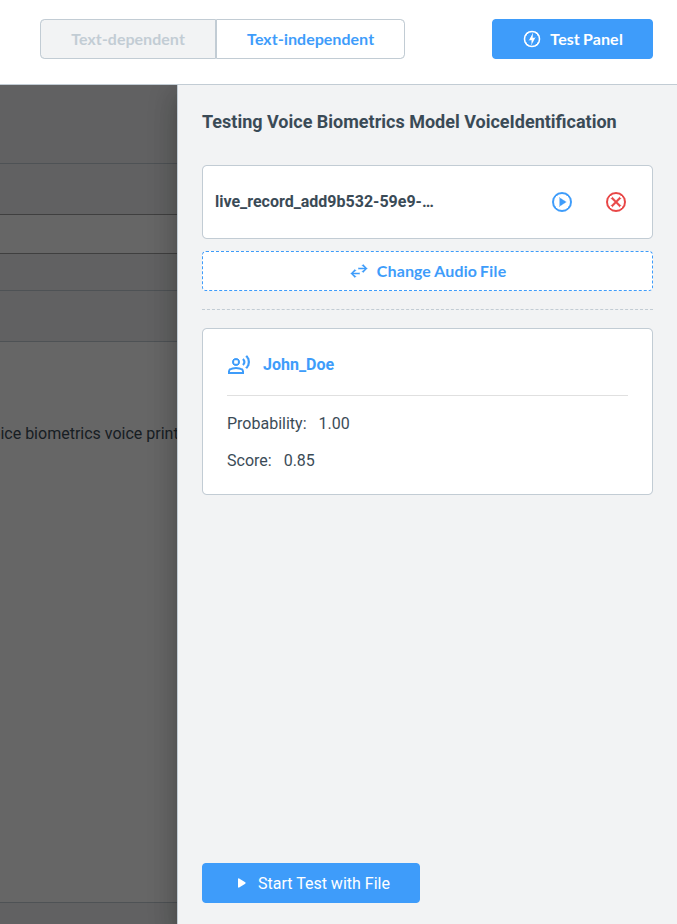
Choose a file from your Audio Asset Library and click Start Test with File. The Voice Biometrics system will return a probability indicating which registered Voice Print matches the speaker. This probability reflects the likelihood that the person is speaking, while the score also accounts for audio quality and similarity to the training recordings.