

Introduction
The Voice Error Correction (VEC) module helps fix common mistakes in voice recognition—especially with tricky alphanumeric sequences like serial codes. Instead of leaving users frustrated by errors (like confusing "b" with "d" or "0" with "o"), VEC acts as a smart post-processor, refining the ASR output to deliver more accurate results. It works seamlessly in the background, so your app’s code and data structure stay exactly the same—only the values get corrected for better reliability. No extra effort, just smoother voice interactions.
How to proceed with VEC?
VEC requires your grammar to include English spelling (letters, digits, or both).
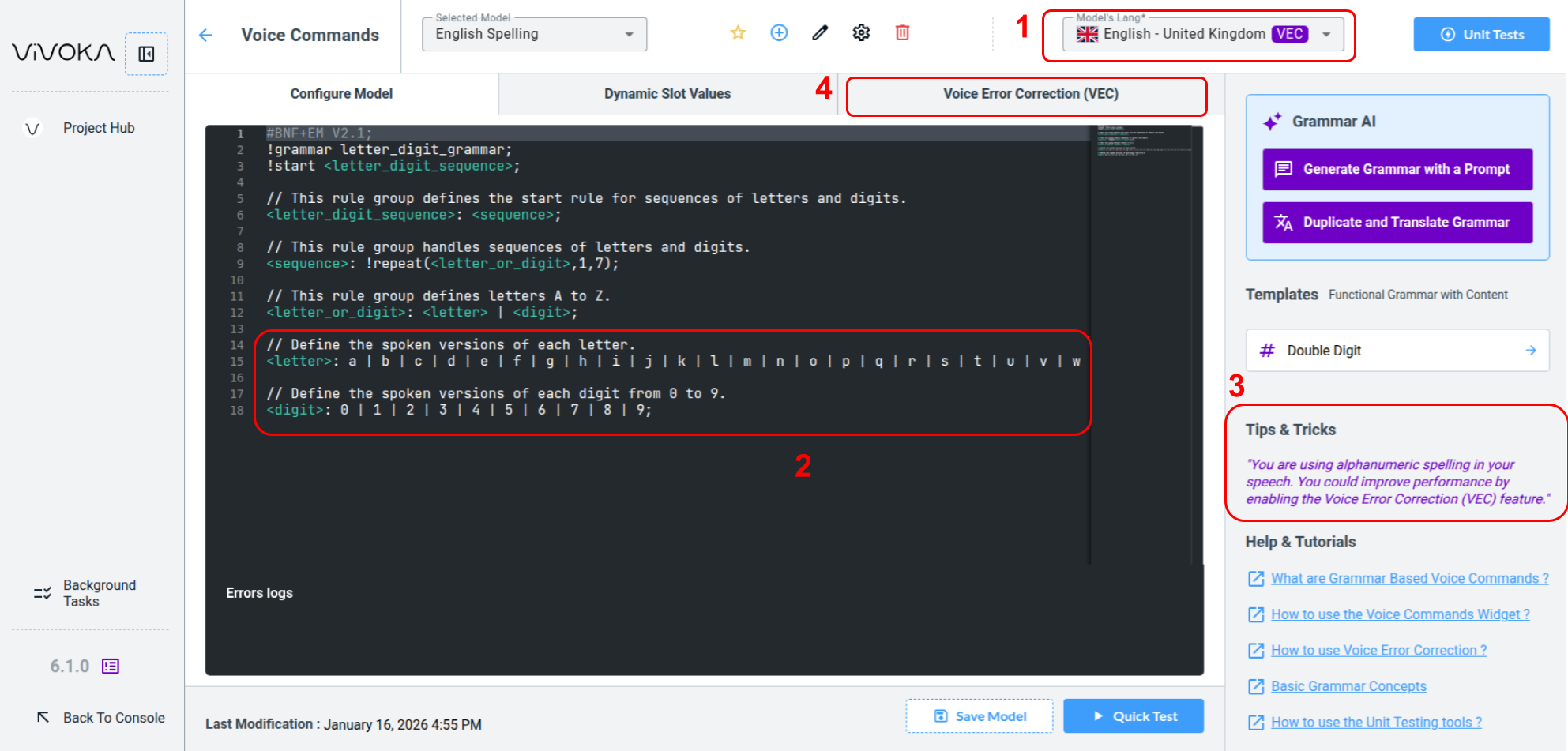
First, the VEC pictogram (1) appears next to the language used (1) for our Voice Commands model.
Our grammar includes spelling terminals (2) in our dedicated rules. When the widget detects one, it displays the Tips & Tricks quote (3) on the screen's right side.
Let’s examine the dedicated Voice Error Correction tab (4) to understand its meaning and requirements.
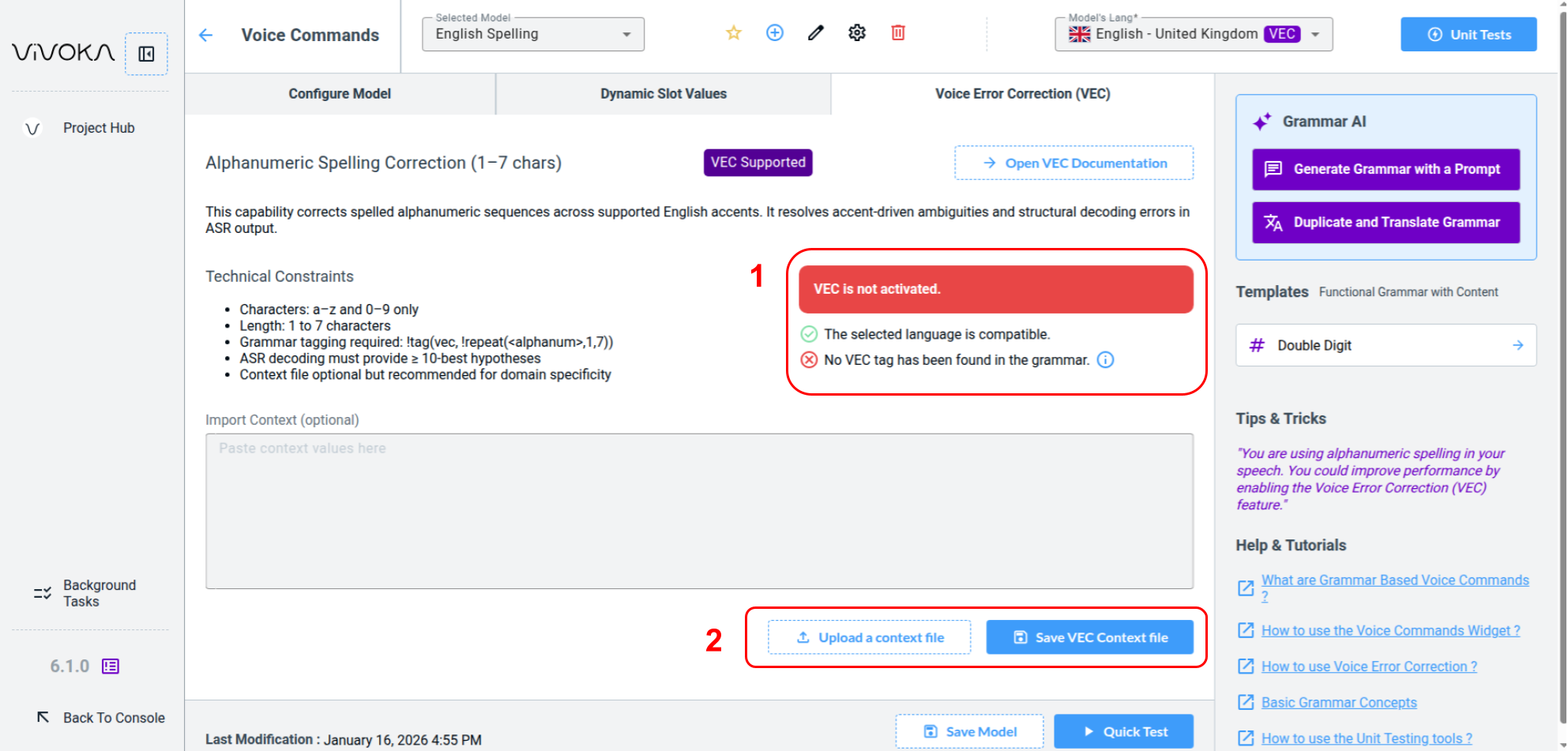
Please take a moment to read technical constraints and everything you need to understand and use VEC in your product using our dedicated documentation.
You can see in the summary (1) that VEC is not yet activated because it has several requirements:
-
First the language must be supported by the technology
-
Secondly, a VEC Tag must be present in our grammar in order to indicate to the engine which commands contains spelling.
Enabling VEC

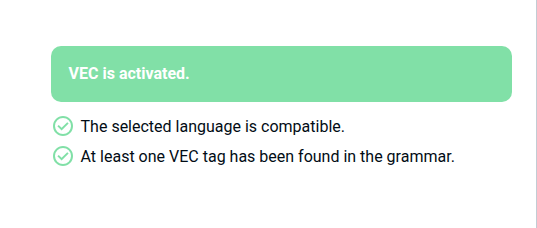
The summary now displays that VEC is activated and you can test it.
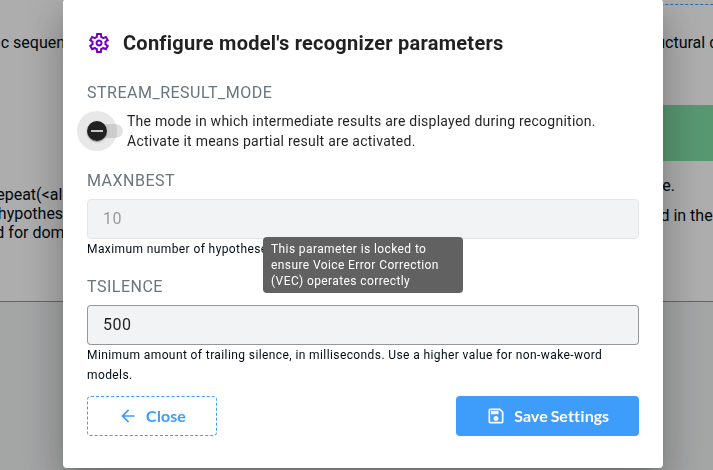
Voice Error Correction technology requires the Voice Recognizer MAXNBEST parameter to be forced to 10.
Context File
You can use the dedicated buttons to fill a context file (2), helping VEC match specific values as explained in the VEC technical documentation.