When you start a task like Unit Testing or Project Download, it enters a queue while the server begins processing. We use multiple independent queues to ensure that immediate tasks, like downloading your project, are never delayed.
-
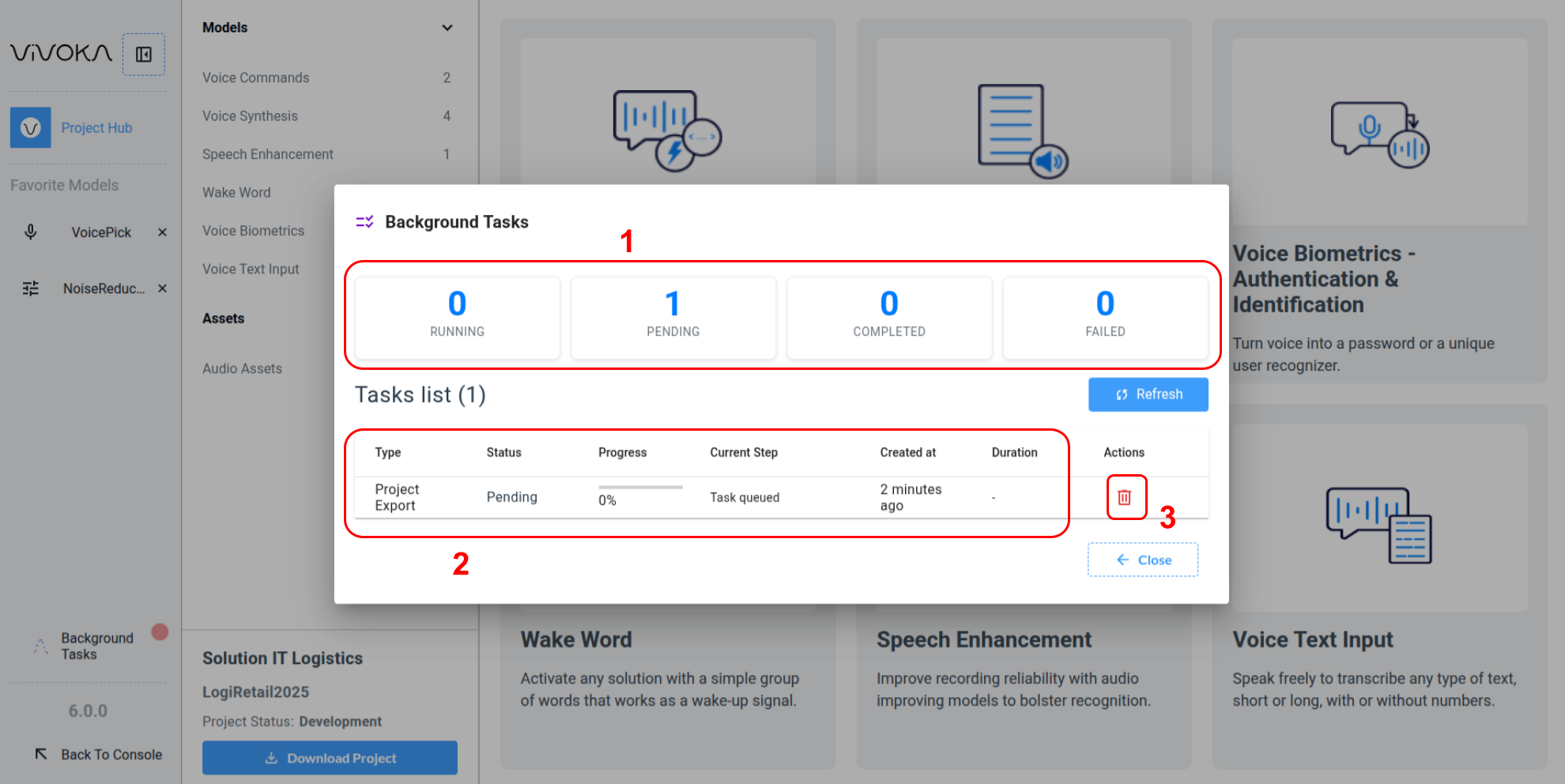
Keep track of your tasks at a glance (1), viewing how many are completed, failed, or still pending in the queue.
-
The Task list (2) displays all background tasks your project uses until they are removed from history (3). If a task is removed before or during completion, it is immediately cancelled prior to removal.
Pending Tasks
Pending tasks are in the deferred execution queue. The queue is shared with users from other projects; however, the Export Project queue is optimized for speed using prioritization and multithreading.
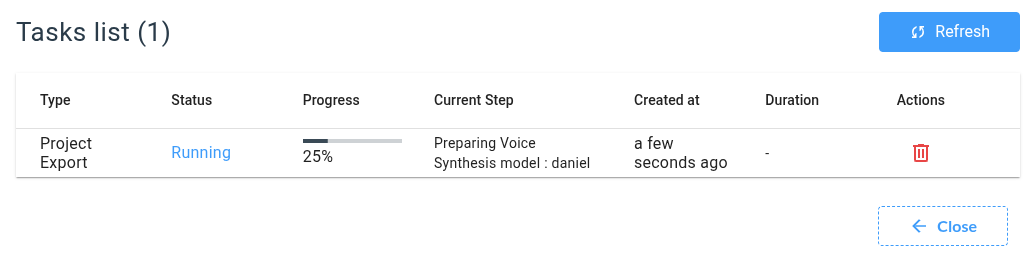
Running Tasks
Running tasks are currently handled by a dedicated server worker. You can track their progress by percentage and by the current step label.
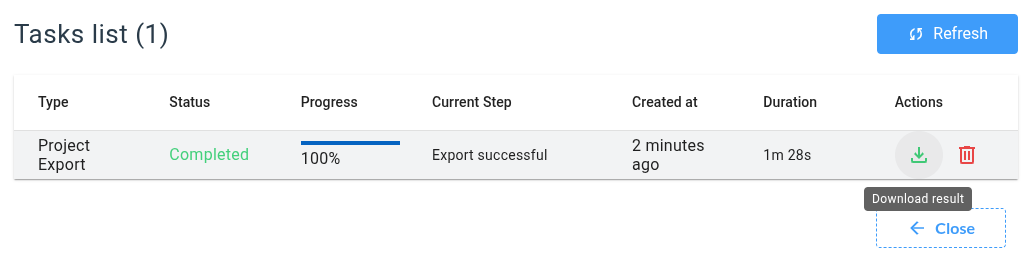
Completed Tasks
Completed tasks indicate the task ran successfully. Depending on the task type, an icon may appear linking to the result. For example, a completed Export Project task will provide a download link for the resulting ZIP file containing your project.
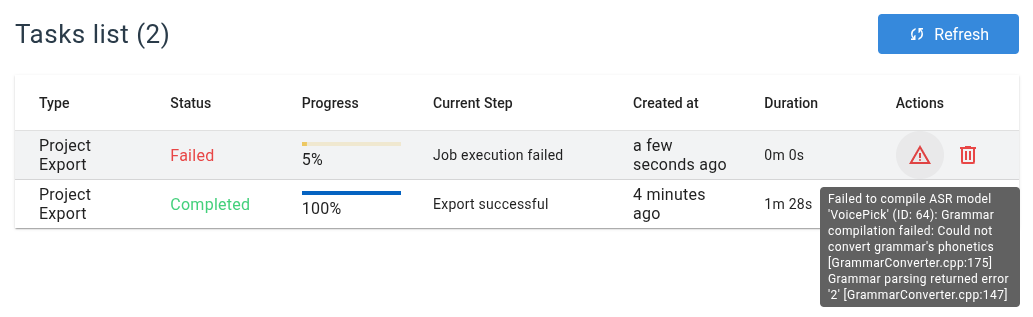
Failed Tasks
Some tasks may fail during execution. When this happens, the task stops and is marked as Failed. Each failed task displays its errors in a tooltip when you hover over the red warning icon next to the task.